Thursday, July 3, 2014

Thespian Thursday - Tips on Being a Better Actor

Hello and welcome to Thespian Thursday; the day where I pass on some tips to help you be a better actor, and maybe tell you about some the ridiculous things I've done as an actor.

There was a joke here about my future being so bright that I needed to wear sunglasses inside...
I didn't anticipate actual blinding glare on the camera lens...

So you want to be an actor eh? Or at least a better one at any rate. I think I've got some tips that might prove handy if you're interested. I've had a fair degree of success in acting (In theater performance at any rate, I'm working towards expanding into media.) As an actor I've had to perform roles ranging from the mentally deranged, to the cowardly and weak, to a figment of someone's mind. There was also a pirate somewhere in there as well. (Although he was mostly famous for an incredibly well drawn beard and ear piercings.)


Out of these performances, I found that I had something of a natural talent for acting.
Last Thespian Thursday I spoke about some of my successes as a result. (I didn't mention the superman slides though. *Sad face* How on earth could I forget those.) In any case, I can say with fair accuracy, at least as far as I'm concerned, that talent is not everything. What I'm going to tell you about in this post can be learnt with some work. Talent is by no means some magical thing you're born with, it's merely the luck of being good at the right things for a task, and in this case, you can learn the right things. (Maybe you'll even become famous one day. It'll take some work though.)

The most important piece of advice I can give you is this: 
Don't act words and actions, act thoughts and emotions.
This is something I tell pretty much anyone who's struggling with a particular role. If you're trying to portray a character, portray a character, now the things they do. The most believable actors spend weeks and even months "getting into character". They sit and think in the way their character would, consider things from their perspective, and most importantly, learn their emotional reactions to things. You will typically find that as you sit and learn about the character you're portraying, you will slowly begin to grow a better understanding of them and thus be able to more accurately act as them. How can you express the outrage of a businessman who's been robbed if you do not understand how important his money was to him, or how hard he had worked for it. Motivations are key to a believable portrayal. One of the greatest exercises I was ever made to do was when the director of my first play lined the cast up and began demanding us to answer questions about the character that were meaningless to the play and unanswered by the script. 

"What's your favorite colour?" "Why do you enjoy drawing?" "Who were your parents." These questions all served to prompt us into learning who our characters truly were. As such, we were far more capable of portraying them as fully fleshed personalities, as averse to simply a jumble of actions and words. The best part: achieving that level of understanding means that should you by mischance, forget your lines, or a fellow actor forget their, you will be able to far more believably improvise actions and lines in order to maintain the flow of the play. 

So to summarize, I was not good because I was born good, I was able to perform well because of my understanding of my characters perspective and motivations. To portray a someone well, you need to see the things as they would, understand how they would deem things as important or unimportant in helping them achieve their goals, and of course, know why those things would be important or unimportant to them. And you can figure all this out by simply sitting down and considering the life of who you wish to portray. Perhaps even imagine having a conversation with them. How would they react to the things they do. What kind of mannerisms do they have? Does their face have laugh lines or a sunken cheeks and a scowl? Start at the basics, and simply grow to know your character, and I guarantee that you will perform far more believably. 

And if you're still wondering what I meant by superman slides; I found it immensely amusing to jump out at velocity and slide from curtain to curtain of my old school stage. I think most of the bruises and scrapes I accrued were results of that... but to be honest. IT WAS AWESOME. (Teehee)

Anyways, hopefully you've found something here of value in your acting pursuit or perhaps for some other reason. Or maybe you just found my eloquent typing a pleasure to read. Whatever it was, I hope you enjoyed it. If you have a suggestion on other things that may help budding actors or something else you would like to share, feel free to leave a comment below. Perhaps even consider sharing this with any actor friends you have who are struggling and don't forget to like my new Facebook Page by pressing the button underneath the Twitter feed. (That's that gray thing to the right of this post.)

That's enough from me. I hope you guys have/had and AWESOME day, and I'll talk to you tomorrow.
Later people.

Wednesday, July 2, 2014

Website Wednesday - Handy add-ons for improving your blog

Hello and welcome to Website Wednesday. That day of the week where I point out some nifty tricks about Blog's I learnt, and also why hitting your head on your desk is a bad idea.

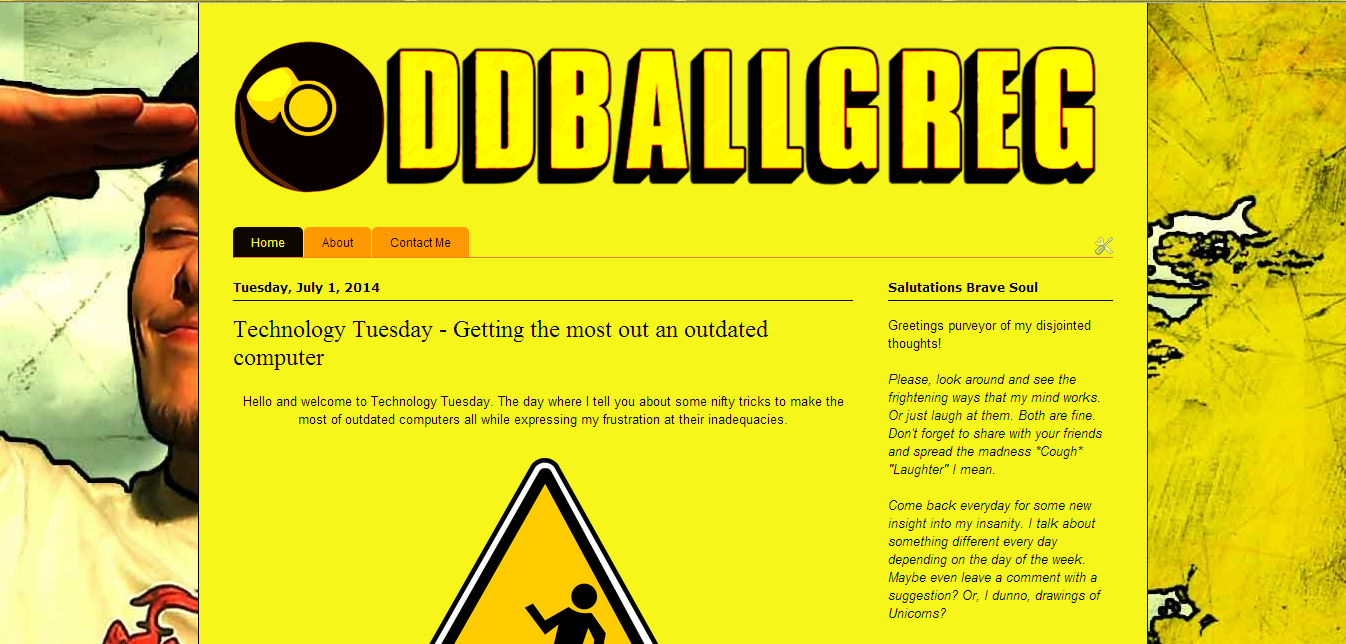
Did I seriously post a screenshot of my blog onto my blog?
Yes. It's oddballception.

If you, like me, find that you're interested in spending copious hours of your daily time exposing various faucets of your life to the internet for the common masses to consume and judge you upon. (Sounds scary when I put it that way actually.) Then you may be interested in starting one of these whimsical and to be honest fairly frightening things we call "Blog's". What is this "Blog" you ask? If I couldn't answer that, I fear my highschool Computer Applications Technology teacher would track me down and skin me. (God know's she said it enough.) A blog is something of an online diary as she termed it. A place where you post things about your day to day life in order to inform. (or in my case typically, entertain.)


I'll be blunt about it. Blogging isn't easy. I have in my lifetime started... about 10. Ranging on subjects from art, to philosophy, to reviews. A common problem for me was a tendency to grow bored or run out of ideas (Which led to frequent head-desking and a fair bit of pain.) Luckily I eventually struck upon the idea for this blog which, is to say, I amalgamated all my previous idea's into one package and called it game. No idea why, but it seems to be working so far. That's beside the point though.

If you should be one of those few who feel the necessity to expose your inner mind to the harshness of the world, I would suggest a few things in order to create a far better blog and far more interest in the long run. Firstly, become a master at HTML. (Pfffft. Yeah right. I've been at this for a while and HTML still keeps me up at night.) Nah, I'm joking. You'll likely learn that as you go along if you give it time and Google the odd thing.

I do however, suggest one or two other things... Firstly, take a look around my blog. You may notice I have things such as Facebook Share and Like buttons, a Twitter Feed, and the lovely "Things you may like" list of posts along the bottom of this post. Those are not standard to Blogger nor any other blogging platform to my knowledge. They also took a fair bit of research and tinkering for me to figure out and/or find a tutorial to do.

Lets start with the Facebook Share buttons. I could not actually find a reference to these on Facebook while logged in as a regular user, but thanks to the blessed Search Engine we base our lives upon, (AKA Google), I was able to quickly find this page which provides all the means and instructions to integrate those buttons with your site. Even better, if you have a Facebook Page or intend on starting one, you will find instructions on how to make the "Like" button link to that page, rather than simply a statistic of people that like your blog. That way, they'll begin to receive the updates you post to your facebook page, which is FANTASTIC for recurring traffic. I got those buttons functioning in just under an hour and am fairly pleased with the result if I do say so myself. (For those Blogger users of you who are unsure of where or how to insert 3rd party HTML into your page, I suggest looking into this article here.)

The next item is the Twitter Feed. This was perhaps one of the easiest to install, as Twitter comes with a fairly easy to find widget generator in it's settings menu for those who have registered with them. Simply navigate to the Widgets menu in your settings, put in the necessary information and it will generate the HTML. From there it's as simple as inserting it into your blog and enjoying a personal Twitter feed which is displayed directly on your blog for all to see. As with the Facebook share buttons, the aforementioned article will help you insert the feed if you're a Blogger user.

Lastly, we have the LinkWithin "Posts you may also like" bar. A free service, I find it highly helpful for letting new readers find articles you've spoken about in the past but have since fallen off the radar as newer posts fill out your blog. Simply head over to their website here and generate the widget, no registration required. I did have a touch of pain getting this to work on my blog though since for some reason it doesn't generate code when it attempts to place the "gadget" on Blogger. (Cue Headdesk. I think I need to find a .gif for all this headdesking.) In any case, I circumnavigated that issue by going stating my blog to be of custom design, copying the code from there and then placing that into the code box for the Blogger gadget insert which is shown once you've accepted and allowed it to try and place the widget on your blog. Kudos to Google and some websites I regrettably forgot to save for figuring that one out.

Lastly I've got a relatively simple one that you can't actually see on my blog. Google Analytics. This beautiful (AND FREE!) service from google allows you to see all the traffic as well as various statistics and degree's of information about how they use your website. At first a little confusing, with a little work you'll glean an invaluable insight into how people are finding your blog and what they're doing afterwards. Better yet, Blogger already has Google Analytics integrated. Once you sign up to the service, all you need do is insert your tracker ID into your blog's control panel. (Settings; Other, at the bottom, to be precise.) For those of you looking to integrate Analytics with other blogging platforms or self hosted blogs, I'd suggest searching for one of the many tutorials on Youtube. (Best part, no headdesking involved.)

Anyways, I hope you've found some helpful information here which will make your blogging experiences easier. (And prevent cranial injury due to sudden impacts with hard wooden surfaces.) If you've got a suggestion for something else that's great for improving blogs, or maybe want to tell me I'm stupid for hurting myself so much, do so in the comments below. Maybe even share this with friends who would like to expose themselves to the internet. (Please god no streakers...) Whatever you do, I thank you for reading and hope you have/had an AWESOME day.

(Was tempted to say goodbye in Klingon today for laughs. Realized I couldn't read it. *Headdesk*) 
So cheers people.

Post edit: Handy trick I forgot to mention for Blogger users. You might notice your post shares the wrong text when you post the link on Facebook. Edit the HTML of your post and place a "<p></p>" tag around the text you want to be shown. Facebook grabs the first test it finds in those tags and Blogger doesn't use them by default. If you forget, and add them after you've shared your post, go here and paste in your URL to get Facebook to refresh the info. 
Related Posts Plugin for WordPress, Blogger...